Automatic PTO Accruals
Set monthly, bi-weekly, or annual accrual rules per employee or team. The PTO tracker calculates and updates balances automatically — no manual spreadsheet updates needed.

Stop managing PTO in spreadsheets. Day Off is the free PTO tracking software that automates balances, accruals, and approvals — so HR teams spend less time on admin and more time on people.
Trusted by 50,000+ companies · Free PTO tracker forever · Set up in 5 minutes




Your employees see their PTO balance before they request. You approve in one click. The whole team sees who's out.
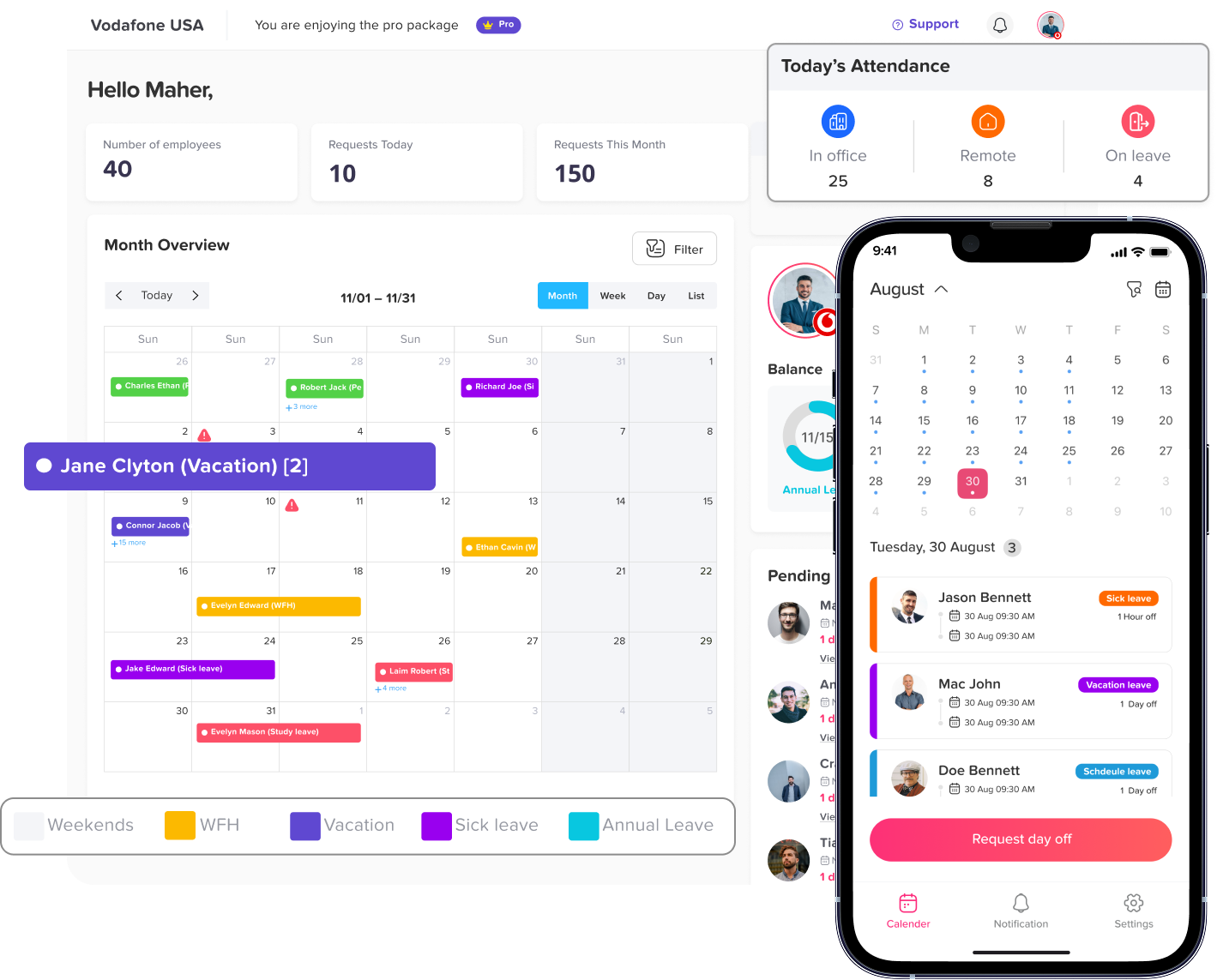
From accruals to carryover to approvals, our PTO management software handles the full lifecycle of employee paid time off.
Set monthly, bi-weekly, or annual accrual rules per employee or team. The PTO tracker calculates and updates balances automatically — no manual spreadsheet updates needed.
Employees always know how much PTO they have. Balances update instantly when requests are approved. No more "how many days do I have left?" emails to HR.
Configure carryover limits, maximum PTO balances, and automatic reset dates. Enforce your company's "use it or lose it" or carryover policies automatically.
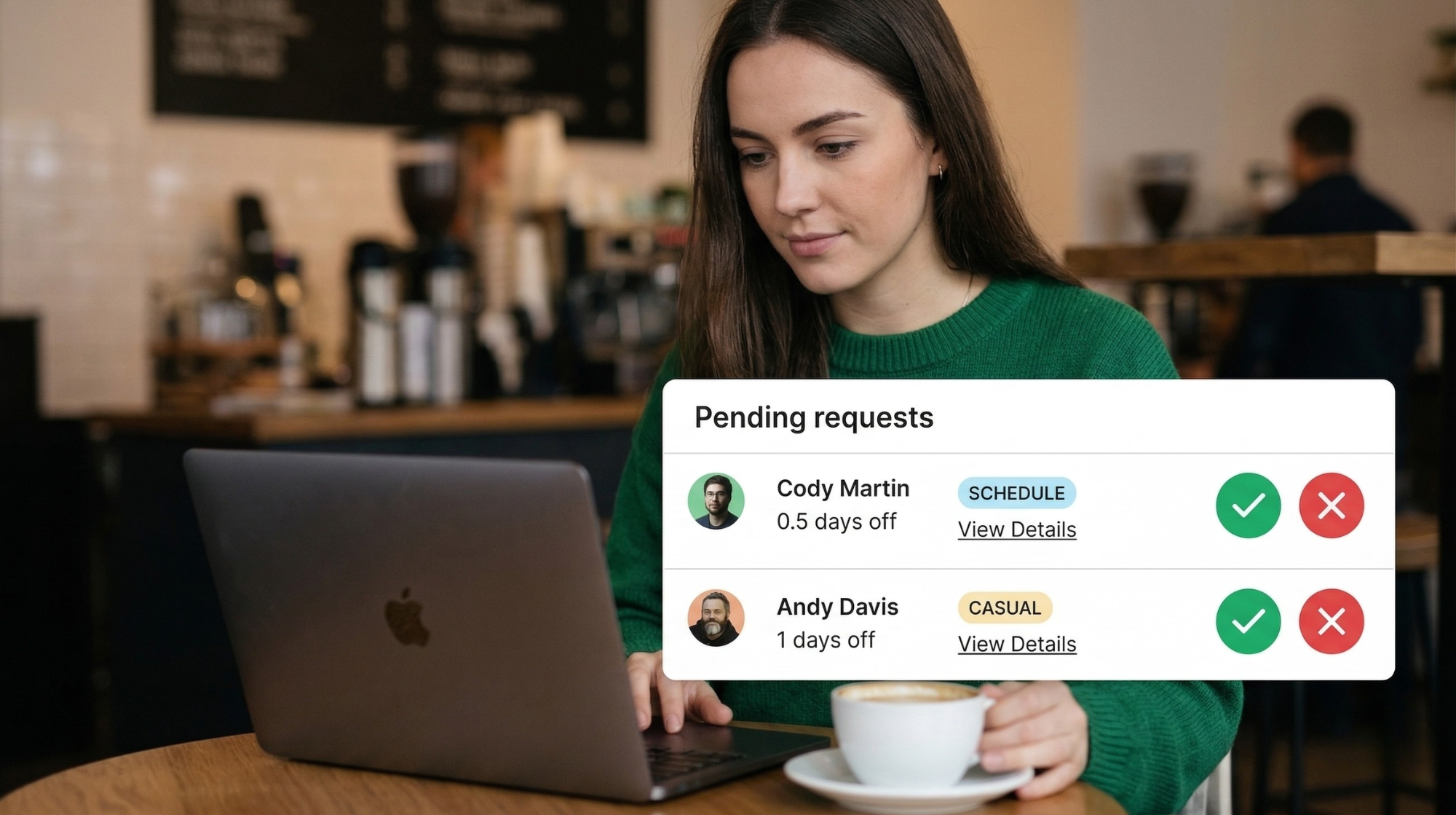
Managers receive instant notifications when an employee requests PTO. Approve or decline directly from email, Slack, Teams, or the mobile app — no login required for approvals.
See who has PTO approved across the entire team at a glance. Spot scheduling conflicts before approving requests. Sync automatically with Google Calendar and Outlook.
Generate PTO usage reports by employee, team, or department. Export to Excel for payroll. Identify patterns, plan coverage, and stay compliant with your PTO policies.
Manual PTO tracking costs HR teams hours every month. Day Off's PTO management software automates the entire process — from request to approval to reporting.
Set up your company's PTO policies once — the tracker does the rest automatically.
Define your PTO types, accrual rules, carryover limits, and approval workflows. Import your team or add employees manually. Takes less than 5 minutes.
Team members see their current PTO balance and submit requests in seconds via the web app or mobile app. They get instant confirmation once approved.
Managers get notified instantly and approve with one click. PTO balances and the team calendar update automatically. Full audit trail for compliance.
Day Off syncs PTO with your calendar, Slack, and HR tools so the whole team stays in the loop automatically.
Join 50,000+ companies who track PTO with Day Off every day.
"Getting our 30 employees set up on the PTO tracker was fast and easy. The developers are very responsive. It replaced our PTO spreadsheets instantly and the team loves it."
"I love that it integrates with my calendar, and the email nudges that allow me to easily approve PTO. It freed up so much time — no more back-and-forth emails about PTO balances."
"Day Off solved our PTO communication gap completely. Tracking staff PTO is now effortless — no spreadsheets, no confusion. The mobile app makes it easy for everyone."
Common questions about our free PTO tracking software.
A PTO tracker is software that manages paid time off for employees. It tracks PTO balances, accruals, requests, and approvals automatically — replacing manual spreadsheets and email chains.
Yes. Day Off has a free plan forever with no credit card required. You can track PTO for your entire team, set accrual rules, manage approvals, and run reports — all for free.
Yes. Day Off supports monthly, bi-weekly, and annual PTO accruals, as well as lump-sum allocations. You can configure different accrual rules per employee type or seniority level.
Yes. Configure maximum PTO carryover amounts, automatic balance resets at year-end, and expiration dates for unused PTO — all per leave type or per employee group.
Absolutely. Day Off supports multiple time zones, national holiday calendars for 60+ countries, and multiple currencies — making it ideal for distributed and international teams.
Employees submit PTO requests in the app. Managers receive instant email, Slack, or Teams notifications and can approve or decline with one click — from any device, no login needed for email approvals.
Join 50,000+ companies that have replaced their PTO spreadsheets with Day Off. Free forever, set up in minutes.
Free forever · No credit card required · Set up in 5 minutes
 REST API