PTO & Leave Request Management
Employees submit vacation requests, sick leave, or any custom leave type in a few taps. Managers get instant notifications and approve or decline with a single click — from web or mobile.

Day Off replaces spreadsheets and email chains with a simple leave tracking system. Employees request time off in seconds, managers approve in one tap, and everyone sees who's out — all in one place.
Free forever · No credit card required · Set up in minutes




One dashboard. Every leave request, balance, and absence — visible to the whole team in real time.
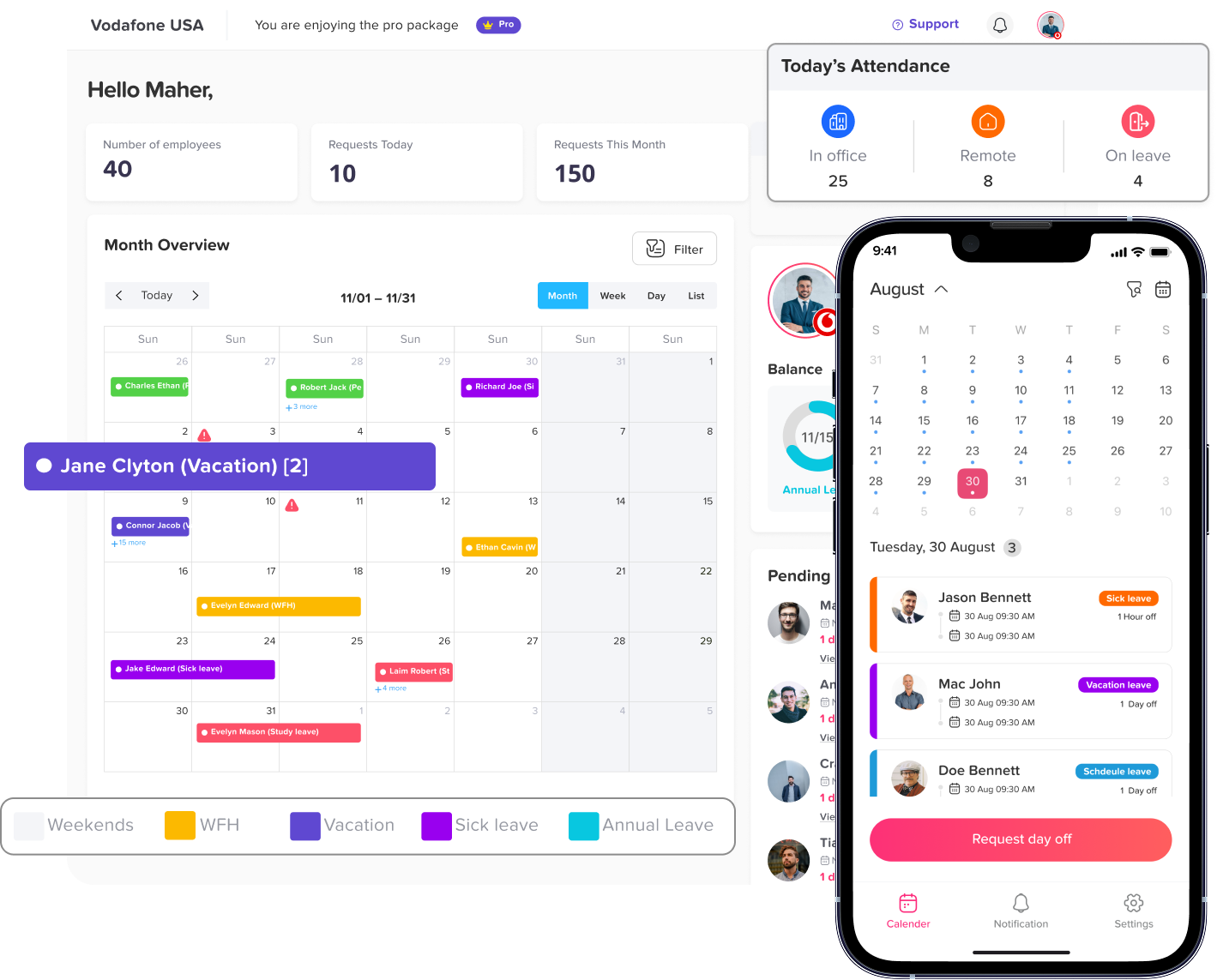
From vacation requests to real-time PTO balances, our leave tracker has every feature your team needs — without the complexity.
Employees submit vacation requests, sick leave, or any custom leave type in a few taps. Managers get instant notifications and approve or decline with a single click — from web or mobile.
Everyone sees exactly how much PTO they've used and how much is left. No more "how many days do I have?" emails. Your free PTO tracker updates balances automatically as requests are approved.
Vacation, sick leave, maternity, paternity, comp time, unpaid leave — configure any leave type your company needs. Set accrual rules, carryover limits, and reset schedules to match your policies exactly.
A shared calendar shows who's off and when, across your entire organization or by team. Managers can spot scheduling conflicts before approving requests and plan coverage with confidence.
Route leave requests through one approver or several. Set up approval chains that match your team hierarchy — from direct manager to HR to department head. Full audit trail included.
Day Off is available as a native mobile app for iOS and Android, so employees can submit leave requests and managers can approve them anytime, anywhere — no desk required.
Eliminate spreadsheets and email chains with automated absence management software. Free up valuable HR time for more strategic work while improving accuracy and reducing errors.
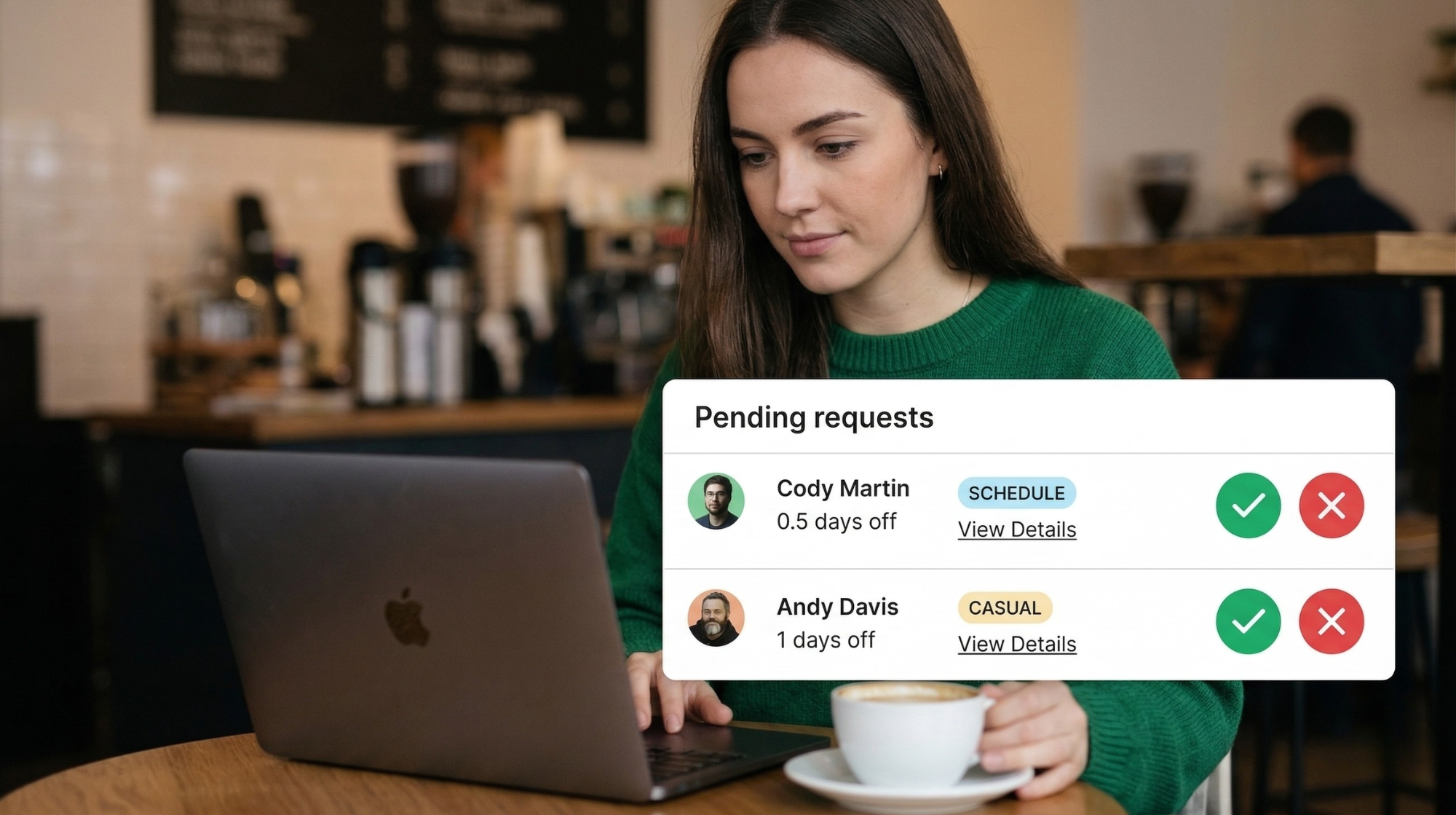
Three simple steps to replace your leave spreadsheets forever.
Sign up free in seconds — no credit card required. Add your team members, set your leave policies, and configure your leave types. Your vacation tracker is ready in minutes.
Team members submit PTO requests, vacation days, sick leave, or any leave type via web or mobile app. They see their remaining balances instantly before they submit.
Managers receive instant notifications by email, Slack, or Teams. Approve or decline with one click. The team calendar and leave balances update automatically in real time.
Day Off integrates with the tools your team already uses, so leave management fits seamlessly into your existing workflow.
Join 50,000+ companies who use Day Off as their leave tracker every day.
"This is a really useful app that fills a need in the market. We've got about 30 employees, and getting them all set up on the app was fast and easy. Developers are very responsive as well if there are any issues. Great app!"
"Excellent, solved the problem I was hoping to, and freed up time and resource and made the team grow faster. I really love that it integrates with my calendar, and the email nudges that allow me to easily approve days off."
"This app is solving our communication gap between staff and it effortlessly keeps track of staff's days off, which was not happening before. It's simple, reliable, and the whole team loves using it."
Day Off is very easy to use for everyone involved: from the employees to the supervisors. We love how it integrates with our Google calendar so everyone can be aware when people are out of the office. It is a simple (in a good way!), but efficient leave tracking system.
Everything you need to know about our free PTO tracker and leave management system.
Yes. Day Off offers a free plan forever with no credit card required. You can track PTO, vacations, and leave for your entire team at no cost. Paid plans are available for larger teams with advanced needs.
Unlike spreadsheets, Day Off updates balances automatically, sends notifications, provides a shared team calendar, works on mobile, and gives you a full audit trail — all without manual data entry or formula errors.
Absolutely. Day Off is designed for remote, hybrid, and in-office teams. Employees and managers can access the vacation tracker from anywhere via web or mobile app, with no VPN or company device required.
You can track any leave type: vacation, PTO, sick days, maternity/paternity leave, work-from-home, study leave, unpaid leave, comp time, and any custom leave type your company defines. Fully configurable.
Yes. Day Off supports multiple countries, time zones, and national holiday calendars. Perfect for international teams or companies with employees in multiple locations.
Most teams are fully set up in under 5 minutes. Simply create your account, add your employees, configure your leave types and policies, and you're ready to start tracking PTO and absences immediately.
Join 50,000+ companies using Day Off as their leave tracker and vacation management system. Free forever. No credit card required.
Free forever · No credit card required · Set up in 5 minutes
 REST API